


Avast One: Antivirus, Security
4.6184.99K Reviews
App Specs
- Version
- 26.13.1.260804690
- Updated On
- License
- Free
- Downloads
- 100,000,000+
- Developer
- Avast Software
- Categories
- Tools
- Platform
- Android, iOS
Screenshots
 Analysis by AppCompare
I tend to think of Avast Antivirus & Security as a practical safety dashboard rather than a magic shield for a phone. Its appeal is the mix of threat checks and everyday tools, especially scam and call protection, but the useful part is how it brings several kinds of digital housekeeping together. That convenience comes with a trade-off: some of the extra features may be unnecessary if you already rely on your phone’s built-in security and only want a basic virus check.
What I would use it for day to day
Avast is a tools app from Avast Software, and its central job is helping people keep an eye on risks that can arrive through apps, messages, calls, email, or an unfamiliar network. That breadth matters more to me than a dramatic promise to stop every threat. A scan can be useful, but it is only one part of staying safe; noticing a suspicious message before tapping its link is just as important.
Here is a realistic use case: I’m waiting for a train, connected to public Wi-Fi, and a message arrives claiming there is a delivery problem. I would use Avast’s network check as one signal before browsing, then treat the message itself cautiously rather than assuming the antivirus will make every link safe. The app’s scam-focused protection is relevant to this kind of moment, while my own habit of opening the delivery company’s official app instead of following a text link remains the more dependable final check.
Guides and Analysis on Avast One: Antivirus, Security
That distinction is worth keeping in mind. Security software can help flag risks, but it cannot make careless taps harmless or guarantee that a convincing scam will be caught. I see Avast as a second pair of eyes, not permission to ignore warning signs. If a message creates urgency, asks for passwords, or pushes me to pay in an unusual way, I stop and verify through a channel I already trust.
Getting Started with Avast
First things first, downloading Avast Antivirus & Security is a breeze. Just hop onto the Google Play Store or the App Store, hit download, and you're good to go. Once installed, you're greeted with a clean and intuitive interface. Even if you’re not particularly tech-savvy, navigating through the app feels like a walk in the park.
Setting up is straightforward. It prompts you to run an initial scan to check if your device is safe. This scan covers every nook and cranny of your phone, ensuring nothing suspicious is lurking in the shadows. I was impressed by how quickly it scanned my device without slowing it down, which is always a plus in my book.
A sensible setup beats switching everything on
When I first open a security app, I prefer to understand what each prompt is asking before granting access or enabling an extra tool. Avast is easier to assess when I treat setup as a series of choices, not a race to activate every option. I would start with the basic scan, then decide whether call, SMS, email, or network protection fits the way I use my phone. That avoids turning a simple security check into a pile of alerts I never read.
Worth Reading Before You Choose

Flipboard Shows What News Apps Must Do Beyond the Feed

Switching to Android Auto Means Rethinking Your Driving Routine

Google Calendar Makes a Crowded Week Easier to Manage

Ludo King Makes the Most of the Minutes Between Plans

Baby Panda World Brings Quick Play to Modern Phones, but Its Game Library Feels Busy

ESPN’s Live Game View Makes Following Close Games Easier
It is also a useful way to judge whether the app earns a place on your home screen. If you mostly install apps from trusted sources, keep your operating system current, and rarely use public networks, you may not need to open an antivirus dashboard every day. If you regularly receive unknown calls or messages, travel, or help less tech-confident family members with their phones, the consolidated controls can make more sense.
Avast is free to install, with a Everyone content rating, and its popularity is substantial: it has more than 100 million installs and an average rating of 4.6 from around 7.3 million ratings. It has been available since December 6, 2011; the current version is 26.0.9.260112939 and requires Android 10 or later. Those figures are useful context, but they do not tell me whether a particular feature will suit my habits. I would still look at the permissions and options presented on my own device before deciding how much of the app to use.
Features That Stand Out
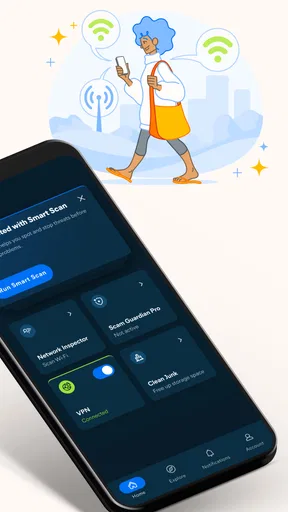
Now, let’s talk features. Avast doesn’t just stop at scanning for viruses. It’s packed with a variety of tools designed to keep your phone running smoothly. The Wi-Fi Security feature is particularly handy, scanning networks to ensure they're safe before you connect. This is a lifesaver, especially when you're out and about, connecting to public Wi-Fi spots.
I would treat that network check as a prompt to think, not a stamp of absolute safety. A network can be risky in ways a quick status screen cannot explain, and a reassuring result does not mean every site or sign-in page is trustworthy. My practical routine is to avoid entering sensitive details on public Wi-Fi when I can wait, and to use the app’s warning as a reason to reconsider a connection rather than as a reason to relax completely.
Another feature I found incredibly useful is the App Insights. It gives you a breakdown of how much time you’re spending on each app, which is great if you’re trying to curb your Instagram addiction. Plus, the Junk Cleaner helps free up space by getting rid of unnecessary files, which I never realized I had so many of until now.
Those two tools serve different purposes, so I would not judge either by the same standard as malware protection. App use information can make a vague feeling of “I’m on my phone too much” more concrete; it is most useful when I check it, choose one habit to change, and revisit the pattern later. A cleaner is more of a maintenance aid. Before removing suggested files, I would review what is marked for deletion, especially if I am short on storage and tempted to clear things quickly. A few seconds of checking is better than losing something I meant to keep.
Scam protection is most valuable when it changes a habit
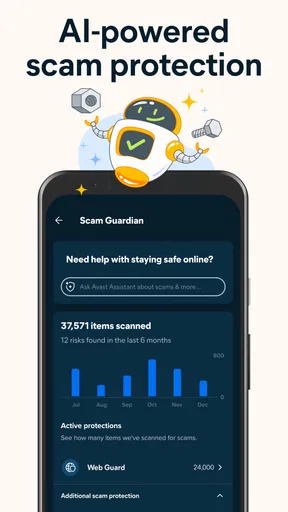
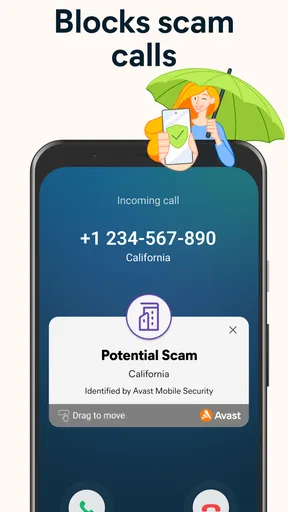
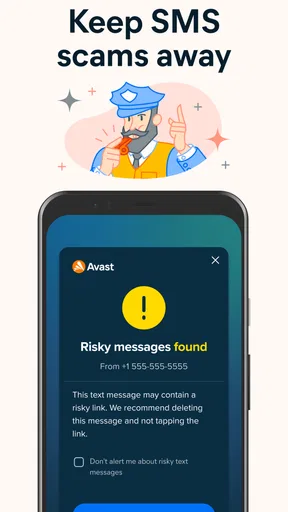
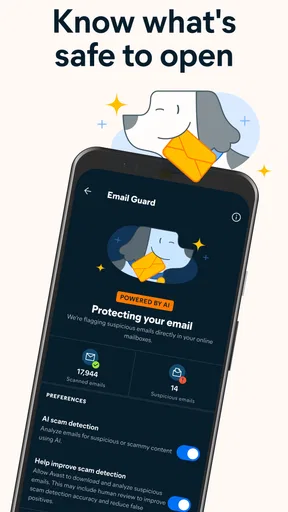
The call, email, and SMS safeguards are a strong reason to consider Avast if unwanted contact is a regular annoyance. Their practical value is not only whether they block something; it is whether they help me pause before responding. A warning attached to an unfamiliar call or message can prompt a quick check of the sender, the wording, and the request. I would still avoid sharing a verification code or banking detail in response to an unexpected message, even if the app has not flagged it.
For a person who gets frequent unknown calls, a call-blocking tool can reduce interruptions, but blocking too aggressively has a cost: a legitimate delivery driver, clinic, or new contact might also use a number I do not recognize. I would begin conservatively, review how the blocking settings behave, and avoid treating every unknown number as a scam. That small adjustment makes the feature less likely to interfere with ordinary life.
The same cautious approach applies to message protection. Security tools can help surface suspicious material, yet scammers constantly change wording and tactics. When a message claims that an account will close or a payment has failed, I would open the relevant service directly rather than follow the embedded route. Avast can be part of that workflow, but it cannot replace checking the claim at its source.
Privacy and Performance
Privacy is a huge concern these days, and Avast has got you covered. The Privacy Permissions feature lets you know which apps are accessing what information. It's like having a magnifying glass for your phone's privacy settings. I found it eye-opening to see which apps had permissions I wasn’t aware of.
The most useful next step is not to revoke everything at once. I would look at permissions one app at a time and ask whether the access makes sense for what that app does. If a feature stops working after changing a setting, I can reconsider that permission rather than assuming the security tool or the app itself is broken. This measured check is particularly helpful for people who installed many apps over the years and no longer remember what they allowed.
At the same time, a permissions overview is a guide, not a complete privacy audit. It can help me notice access that deserves a second look, but it cannot tell me whether I trust an app’s developer or how responsibly a service handles information. I still make those decisions separately. That is one of the limits of any all-in-one security dashboard: it can bring useful signals together, but the judgment remains mine.
Performance-wise, Avast runs smoothly in the background without hogging resources. My phone didn't feel sluggish at all, which is a common gripe with some antivirus apps. It’s like having a silent guardian watching over your device without getting in the way.
Even so, I would pay attention to the real experience on my own phone rather than assume background protection is free of friction. If alerts become noisy, battery use seems different, or I find myself dismissing notifications without reading them, I would revisit which tools are enabled. A security app that floods me with prompts can make me less attentive, which undermines its purpose. Keeping only the features I actually use is a better balance than enabling every available option.
Where it sits among the alternatives
Compared with using only the security and privacy controls already built into a phone, Avast offers a more visible, joined-up place to check several concerns. That can be valuable for someone who wants a dedicated scan and a clearer view of permissions, unwanted calls, or suspicious messages. The built-in approach, on the other hand, may be enough for a person who installs carefully, keeps the phone updated, and prefers fewer apps and notifications.
It also differs from a narrow call-blocking or cleaner app. A specialist tool may focus more directly on one task, which can be preferable if that is all I need and I want to avoid a broader dashboard. Avast’s advantage is convenience across several kinds of protection and maintenance; its drawback is that this breadth can make the interface feel like more than a simple virus scanner. I would choose based on the problem I actually have, not on the assumption that more tools automatically mean more safety.
There is a cost question too. Avast is free to use, while in-app purchases range from $0.99 to $139.99 per item. That wide span makes it sensible to check exactly what an upgrade includes and what it costs before confirming a purchase. I would first use the free offering to see whether its core checks fit my routine. If I only want occasional scanning, paying for extras may not be worthwhile; if a particular paid feature solves a recurring problem, I can judge that feature on its own merits rather than buying simply because the app suggests an upgrade.
Who will get the most from it
I would recommend trying Avast if you want one recognizable place for mobile safety checks and you regularly deal with unknown calls, suspicious texts, public networks, or a crowded collection of installed apps. It can also suit someone who wants a little more guidance than the phone’s built-in settings provide. The scan, permission overview, and cleanup tools each answer a different practical question, so the app is most convincing when you have a reason to use more than one of them.
It is less compelling for someone who wants a completely hands-off phone and already feels comfortable with built-in protections. If you never look at security notifications, a broad feature set may become background clutter rather than help. People who only need to remove unwanted calls may also prefer a simpler call-focused option, while users who are already content with their phone’s storage tools may gain little from another cleaner. I would not install Avast just because antivirus sounds mandatory; I would install it if its specific checks address a concern I actually have.
For a family member who is less confident online, I would introduce the app alongside a few clear habits: do not tap urgent payment links, do not share one-time codes, and verify unexpected account warnings through the official service. Then I would show them how to read a warning without panicking. This is a better use of security software than silently installing it and expecting it to make every decision for them.
Is It Worth It?
So, is Avast worth the space on your phone? In my opinion, absolutely. The free version offers a solid layer of protection, and if you’re looking for more advanced features, the premium upgrade might be worth considering. With tools like Anti-Theft, which allows you to track your device if it's lost or stolen, and the Photo Vault for securing personal photos, there's a lot of value packed into this app.
I would make that recommendation with one important qualification: check that the features you expect are available and useful in the version you are using, and read any upgrade screen carefully before buying. The app includes in-app purchases, so “free to install” does not mean every option is included at no cost. I would avoid paying for a bundle before identifying the particular problem I want it to solve. A feature that sounds reassuring is only worth paying for if I will actually use it.
For someone deciding whether to keep it, my test would be simple: do the scan, inspect the permissions that surprise you, and try the relevant call or message protections with settings you understand. Then notice whether Avast makes you more informed or simply adds noise. If it helps you catch risks and build better habits without disrupting your routine, it has earned its place. If you never open it and already feel well served by your phone’s own tools, removing it may be the more sensible choice.
Overall, Avast Antivirus & Security is like having a digital Swiss Army knife for your phone. It’s proactive in keeping threats at bay while offering tools to manage your device better. So, if you're on the fence about needing antivirus on your smartphone, give Avast a whirl. It just might be the peace of mind you’re looking for.
Pros
- Excellent malware protection features.
- User-friendly and intuitive interface.
- Real-time threat detection.
- Comprehensive privacy tools included.
- Runs smoothly with minimal lag.
Cons
- Occasional ads in the free version.
- Some features require premium upgrade.
- Might drain battery quickly on older devices.
- Initial setup can be slightly complex.
- Limited customer support for free users.
FAQs for Avast One: Antivirus, Security
What features does Avast Antivirus & Security offer?
Avast Antivirus & Security provides a comprehensive suite of features including real-time virus protection, malware scanning, and a firewall. It also offers a Wi-Fi security scanner, VPN for online privacy, and performance optimization tools to keep your device running smoothly. These features ensure both security and enhanced performance for your device.
Is Avast Antivirus & Security free to use?
Avast offers a free version with basic features such as virus and malware protection, but for more advanced features like the VPN, firewall, and ad-blocking, users must upgrade to the premium version. The premium version is available through monthly or yearly subscriptions, providing more comprehensive protection and support.
Does Avast Antivirus & Security affect device performance?
Avast is designed to have minimal impact on device performance. It runs background scans efficiently without slowing down your system. The app includes performance optimization tools that help clean junk files and manage battery usage, ensuring your device remains fast and efficient while being protected.
How does Avast protect my online privacy?
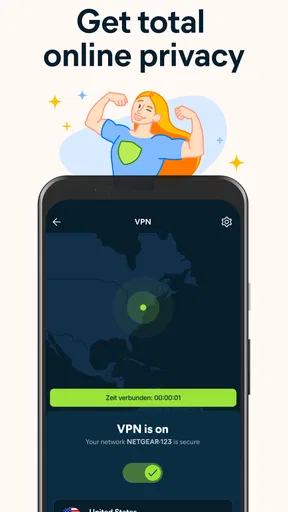
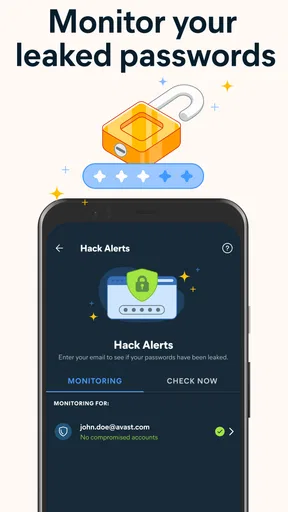
Avast Antivirus & Security offers a VPN service that encrypts your internet connection, protecting your online activities from prying eyes. It also has features like anti-tracking and data breach monitoring, which alert you if your personal information is compromised, ensuring your online presence remains private and secure.
Is Avast easy to use for beginners?
Yes, Avast is designed with a user-friendly interface that makes it accessible for beginners. The setup is straightforward, and the dashboard provides easy navigation of features. Avast also offers tutorials and customer support to help users make the most of the app, ensuring a smooth user experience.


